
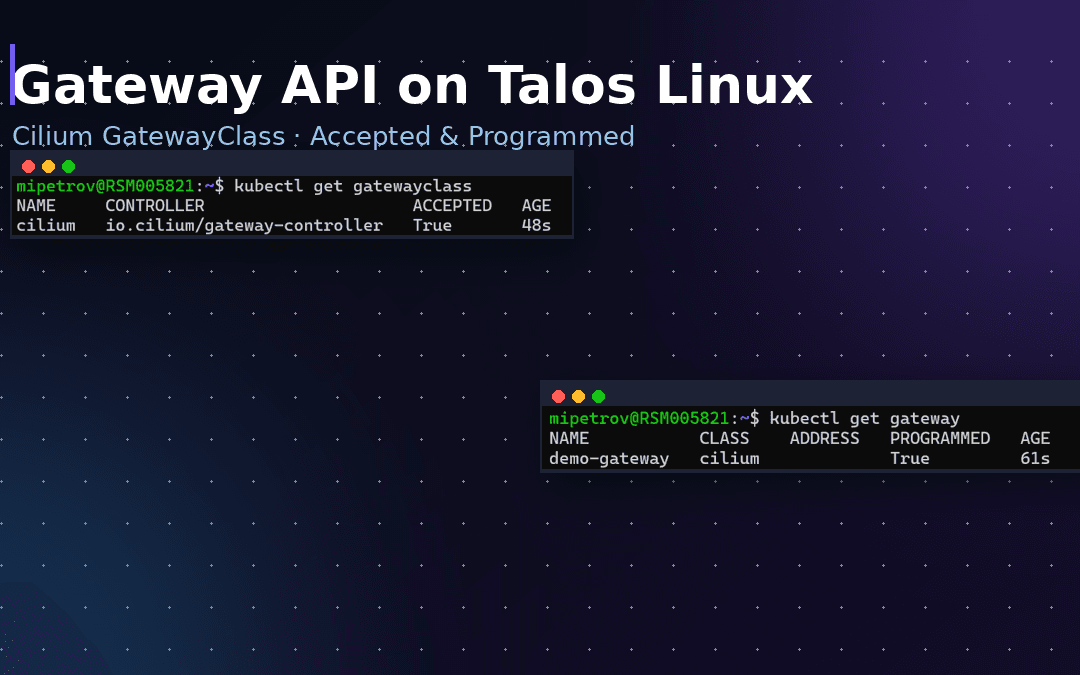
The Kubernetes Gateway API is the modern, role-oriented successor to Ingress — and Cilium has a built-in Gateway API implementation, so you do not need a separate ingress controller. In this guide we install the Gateway API CRDs, turn on Cilium’s built-in support, and expose a first Gateway — all on a Talos Linux cluster, with real output from a cluster we built while writing this article.
This picks up where our guide to installing Cilium on Talos Linux left off: if Cilium is already your CNI with kube-proxy replacement, enabling it is just two steps.
What is the Kubernetes Gateway API?
The Gateway API is an official Kubernetes project (SIG Network) that defines how traffic enters your cluster using a set of custom resources: GatewayClass, Gateway, HTTPRoute, GRPCRoute and more. It was designed to fix the limitations of Ingress: it is more expressive, portable across implementations, and splits responsibilities cleanly between the platform team (who own the Gateway) and application teams (who own the HTTPRoute).
- GatewayClass — the “type” of gateway, backed by a controller (here, Cilium).
- Gateway — an actual entry point (listeners, ports, protocols).
- HTTPRoute / GRPCRoute — routing rules that attach to a Gateway and send traffic to your Services.
Why run the Gateway API with Cilium on Talos?
Because Cilium already implements it on top of its eBPF data path and Envoy, you get L7 routing without deploying and maintaining a separate ingress controller such as NGINX. On Talos Linux — an immutable, API-driven operating system with no SSH or package manager — that “fewer moving parts” story matters even more: everything is declarative, and one component (Cilium) handles CNI, kube-proxy replacement and ingress. This is also timely, since the community NGINX Ingress controller is winding down, and the Gateway API is where Kubernetes networking is heading.
Prerequisites
- A Talos cluster with Cilium already installed as the CNI (see our Cilium on Talos guide).
- kube-proxy replacement enabled — Cilium’s Gateway API requires it (
kubeProxyReplacement=true), which is exactly how we set Cilium up on Talos. kubectland Helm 3 installed.- Cilium 1.18, which expects Gateway API CRDs from the v1.3.0 release (match the CRD version to your Cilium version).
Step 1 — Install the Gateway API CRDs
The Gateway API resources are not built into Kubernetes — you install them as CRDs first. Apply the standard channel for the version that matches Cilium (v1.3.0 here):
kubectl apply -f https://github.com/kubernetes-sigs/gateway-api/releases/download/v1.3.0/standard-install.yaml
Confirm the CRDs are registered:
kubectl get crds | grep gateway.networking.k8s.io
Step 2 — Enable the Gateway API in Cilium
Cilium’s Gateway API support is off by default. Turn it on with a Helm upgrade. Using --reuse-values keeps all the Talos-specific settings from your original install, and you re-assert kubeProxyReplacement=true because it is a hard requirement:
helm upgrade cilium cilium/cilium --version 1.18.0 \
  --namespace kube-system --reuse-values \
  --set kubeProxyReplacement=true \
  --set gatewayAPI.enabled=true

# restart so the new config is picked up
kubectl -n kube-system rollout restart deployment/cilium-operator
kubectl -n kube-system rollout restart ds/cilium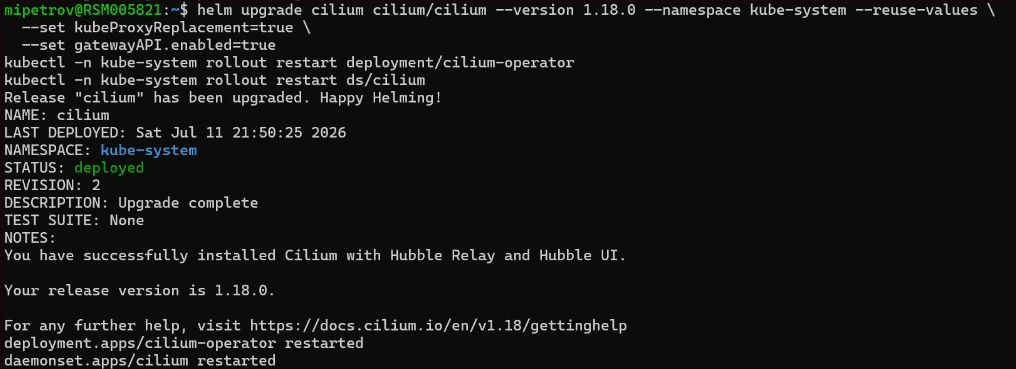
Note: if you originally installed Cilium without --reuse-values, make sure this upgrade still includes your Talos values (cgroup and securityContext settings, and k8sServiceHost/k8sServicePort), otherwise Cilium may restart with an incomplete config.
Step 3 — Verify the GatewayClass
Enabling the feature registers a GatewayClass named cilium. Check that it is accepted by the controller:
kubectl get gatewayclass
ACCEPTED: True with controller io.cilium/gateway-controller — Cilium is ready to program Gateways.A quick cilium status confirms everything is still healthy after the upgrade:
cilium status | head -20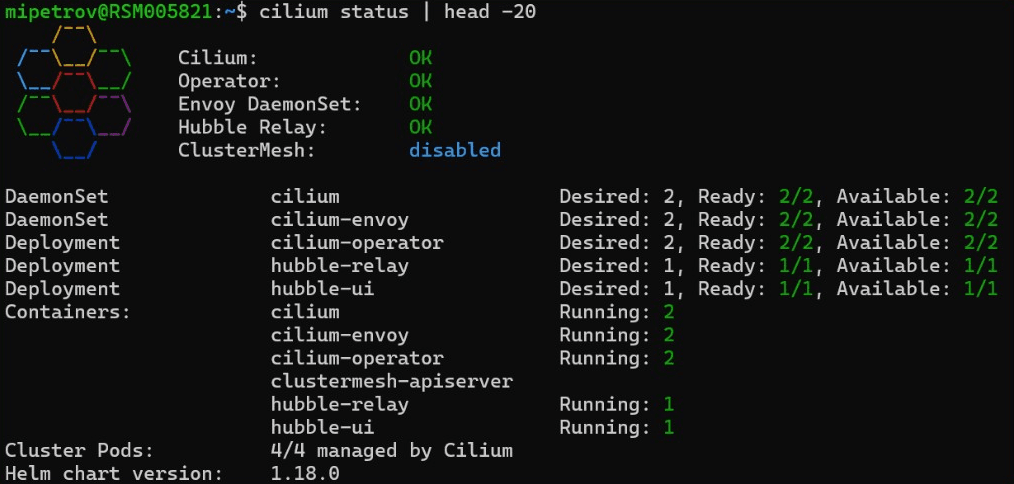
Under the hood, Cilium runs as a DaemonSet in the kube-system namespace — one agent pod per node, on the control plane and every worker alike. Once the feature is enabled, the Cilium operator starts watching Gateway resources across every namespace and programs the embedded Envoy proxy accordingly, so there is no extra ingress pod to deploy or keep running. Because Talos treats the whole system as immutable, this all stays declarative: you never log into a node to configure it by hand.
Step 4 — Create your first Gateway
With the CRDs installed and the class accepted, you can define a Gateway. This minimal example opens an HTTP listener on port 80 using the cilium GatewayClass:
kubectl apply -f - <<'EOF'
apiVersion: gateway.networking.k8s.io/v1
kind: Gateway
metadata:
  name: demo-gateway
spec:
  gatewayClassName: cilium
  listeners:
  - name: web
    protocol: HTTP
    port: 80
EOF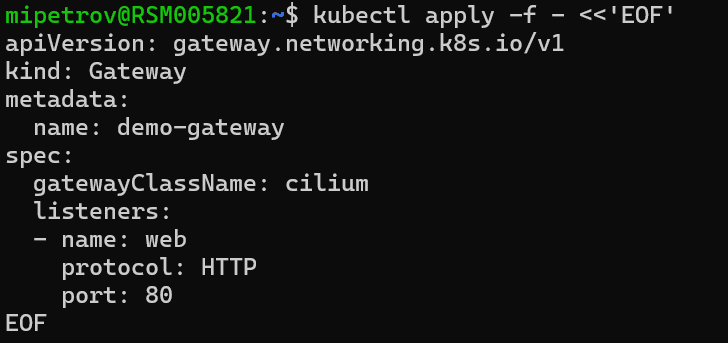
demo-gateway: one HTTP listener on port 80, backed by the cilium GatewayClass.Check that Cilium programmed it:
kubectl get gateway
PROGRAMMED: True — Cilium has accepted and configured the Gateway.No ADDRESS yet? That is expected on a local or bare-metal cluster with no cloud load balancer. Cilium exposes a Gateway through a LoadBalancer Service, so to get an external IP you need something to hand one out — for example Cilium’s built-in LB IPAM plus L2 announcements (or BGP). Once that is in place, the ADDRESS column is populated and you can attach an HTTPRoute to route traffic to your Services.
Step 5 — Route traffic with an HTTPRoute
A Gateway on its own only opens a listener; to actually use it you attach an HTTPRoute that tells Cilium which Service should receive the traffic. Assuming you already have a Service named demo-app running in the default namespace, create a route and point it at the Gateway by name. Save the following YAML and apply it:
kubectl apply -f - <<'EOF'
apiVersion: gateway.networking.k8s.io/v1
kind: HTTPRoute
metadata:
  name: demo-route
  namespace: default
spec:
  parentRefs:
  - name: demo-gateway          # attach to the Gateway we created
  rules:
  - matches:
    - path:
        type: PathPrefix
        value: /
    backendRefs:
    - name: demo-app             # the name of your Service
      port: 80
EOF
Then confirm the route was created and accepted by the controller:
kubectl get httprouteWith the CRDs installed, the Gateway programmed and an HTTPRoute in place, your setup is complete: Cilium now routes matching requests straight to the pods backing your Service — no separate ingress controller running anywhere in the system. From here you can create more routes by name, split traffic across Services, or use hostnames and path rules to serve several apps behind a single Gateway.
Common mistakes to avoid
- Skipping the CRDs — enabling
gatewayAPI.enabled=truewithout installing the CRDs first leaves the Cilium operator crash-looping. Install them in Step 1. - Mismatched CRD version — use the Gateway API version your Cilium release expects (v1.3.0 for Cilium 1.18). A newer or older channel can fail validation.
- kube-proxy replacement off — the Gateway API needs
kubeProxyReplacement=true. On Talos we disable kube-proxy anyway, so keep it enabled. - Forgetting
--reuse-values— a plainhelm upgradecan drop your Talos-specific values and break Cilium. Reuse values or pass them all again. - Expecting an IP with no LB —
PROGRAMMED: Truebut an emptyADDRESSis normal until LB IPAM / L2 or BGP provides one.
The full script (copy & paste)
Here is the whole process end to end. It assumes Cilium is already installed on your Talos cluster and your kubectl context points at it. Comments explain each step so you can adapt it to your own setup.
#!/usr/bin/env bash
# Enable the Kubernetes Gateway API with Cilium on Talos Linux
# Prereq: Cilium already installed as CNI, with kubeProxyReplacement=true
set -euo pipefail

CILIUM_VERSION="1.18.0"
GATEWAY_API_VERSION="v1.3.0"   # must match your Cilium release

# 1) Install the Gateway API CRDs (standard channel)
kubectl apply -f "https://github.com/kubernetes-sigs/gateway-api/releases/download/${GATEWAY_API_VERSION}/standard-install.yaml"
kubectl get crds | grep gateway.networking.k8s.io

# 2) Enable Gateway API support in Cilium (keeps existing Talos values)
helm upgrade cilium cilium/cilium --version "${CILIUM_VERSION}" \
  --namespace kube-system --reuse-values \
  --set kubeProxyReplacement=true \
  --set gatewayAPI.enabled=true

kubectl -n kube-system rollout restart deployment/cilium-operator
kubectl -n kube-system rollout restart ds/cilium
kubectl -n kube-system rollout status ds/cilium

# 3) Verify the GatewayClass is accepted
kubectl get gatewayclass          # expect: cilium  io.cilium/gateway-controller  ACCEPTED=True
cilium status | head -20

# 4) Create a demo Gateway and confirm it is programmed
kubectl apply -f - <<'EOF'
apiVersion: gateway.networking.k8s.io/v1
kind: Gateway
metadata:
  name: demo-gateway
spec:
  gatewayClassName: cilium
  listeners:
  - name: web
    protocol: HTTP
    port: 80
EOF

kubectl get gateway               # expect: demo-gateway  cilium  PROGRAMMED=True
Where to go next
You now have a working Gateway API on Talos, served by Cilium. From here you would typically add LB IPAM + L2 announcements (or BGP) to get an external IP, then create HTTPRoute resources to route real traffic to your Services, and finally add TLS. We run this exact stack — Talos, Cilium, Gateway API — in production, including HA control planes, network policy and Hubble metrics in Grafana. If you would like help designing or operating it, see our DevOps consulting and support, or read our Cilium on Talos install guide for the foundation this builds on.
Frequently asked questions
Do I need a separate ingress controller if I use Cilium’s Gateway API?
Which Gateway API version should I install for Cilium?
Why is the ADDRESS column empty even though PROGRAMMED is True?
Does the Gateway API require kube-proxy replacement in Cilium?
Is the Gateway API replacing Ingress?
Conclusion
Getting the Kubernetes Gateway API running with Cilium on Talos Linux is refreshingly simple once Cilium is your CNI: install the matching CRDs, flip gatewayAPI.enabled=true, and you have a controller-backed GatewayClass ready to program Gateways — no extra ingress controller required. Add LB IPAM and some HTTPRoutes and you have a clean, modern ingress stack. If you want a hand taking this to production, get in touch for a free consultation.
To see a Gateway like this taking over from a real Ingress, read how we replaced Ingress NGINX with the Cilium Gateway API on Talos.
Having moved real workloads onto the Gateway API with Cilium, the part teams underestimate is the org change, not the YAML. Splitting the Gateway (platform team) from the HTTPRoute (app teams) is the whole point — it kills the “one giant Ingress with forty annotations” bottleneck we used to fight every release. On Talos we specifically like that a single component owns CNI, kube-proxy replacement and ingress: fewer moving parts, fewer pages. If you’re starting a cluster today, skip Ingress entirely and go straight to the Gateway API.
— Milan Petrović, Senior Cloud/DevOps Engineer · CKA, RHCE, RHCSA